

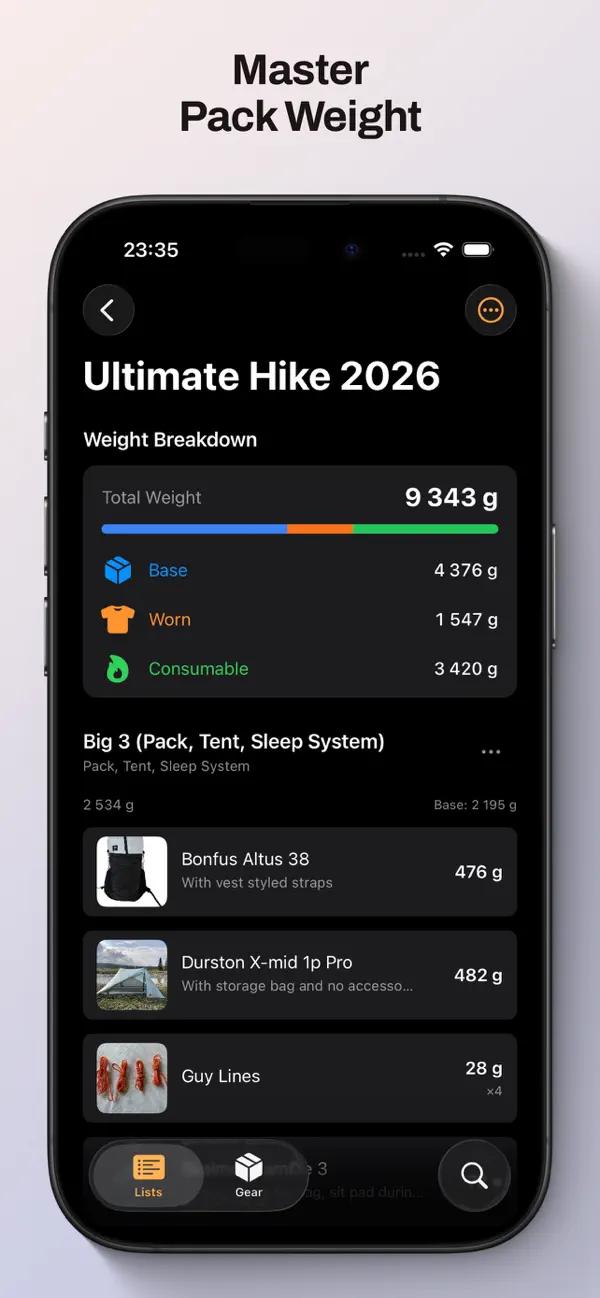
Two ways to plan a lighter pack
| What matters to you | Goulight | LighterPack |
|---|---|---|
| Where you plan | Web, iOS and Android apps | Browser-based packing-list tool |
| Getting started | Account required. Free includes five lists; Pro removes the limit. | Free website; you can try it without an account. |
| Reusing your gear | Gear library shared across your lists | Gear library with linked items across lists |
| Bringing an existing list | Import shared links from LighterPack or PackWizard | CSV import and export |
| Weight and sharing | Base, worn and consumable weights; public list links | Weight charts, worn and consumable items; public list links |
When Goulight fits your plans
Create and edit packing lists directly in Goulight’s iPhone and Android apps: add gear and adjust weights and quantities as you pack. You can also plan in the web app, in English or Swedish. Your gear library gives you a starting point for each new trip. Share a read-only list link when you want feedback from a friend or hiking group.
What LighterPack does well
LighterPack is a free, open-source tool for creating, editing and sharing packing lists in the browser. It has a gear library, weight charts, CSV import and export, and dark mode.
Try a copy before you switch
Goulight can import a publicly shared LighterPack list. The import creates a separate, initially private list and leaves the original untouched. Categories, item descriptions, quantities and weight information come across; check the result before your next trip. Product links and prices do not transfer, and the two copies do not stay in sync.
Know the plan limits
LighterPack describes its website as free. Goulight has Free and Pro plans: Free allows five lists including imports; Pro removes that limit and adds packing mode and PDF export. Importing and sharing a list do not require Pro. Choose based on the features you will actually use.